

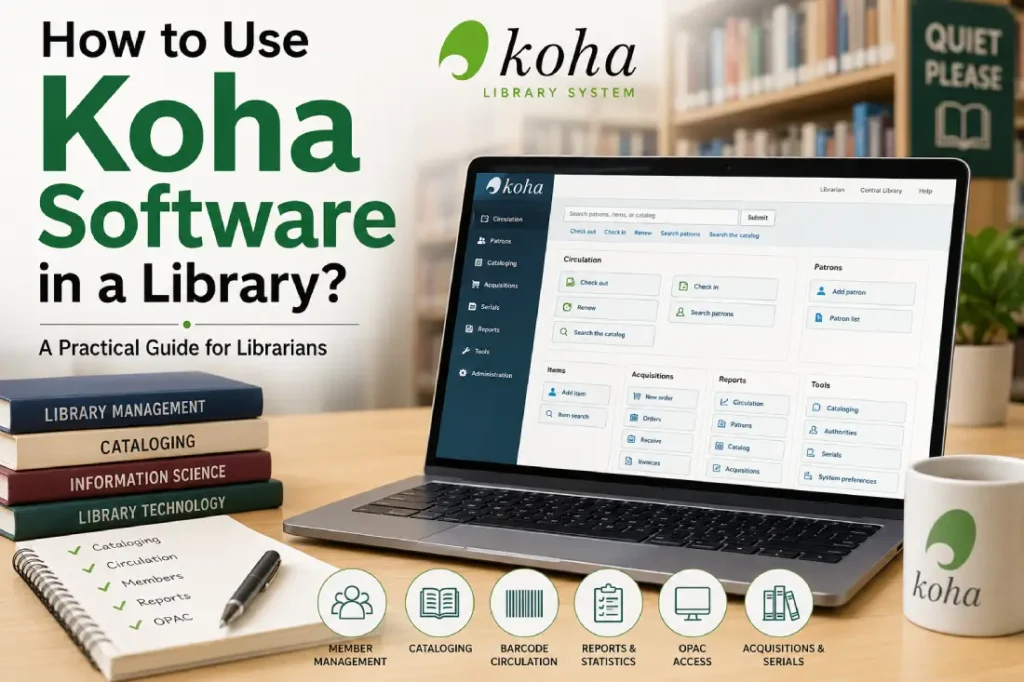
Koha is not difficult because the software itself is complicated. It becomes difficult when a library tries to use it without understanding the basic library workflow behind the software.
Koha is an open-source Integrated Library System (ILS) that can manage important library activities such as cataloguing, circulation, members, acquisitions, serials, reports and the Online Public Access Catalogue (OPAC).
In my experience with library workflows, the most important point is this: Koha should be configured according to the working method of the library, not the other way around. If the library first understands its own rules, collection structure and circulation practices, Koha becomes much easier to operate.
This guide explains how Koha can be used in a practical library environment, from initial setup to daily circulation and reporting.
What is Koha Software?
Koha is a web-based library management system developed as open-source software. It is used by different types of libraries, including academic, public, school, research and special libraries.
Unlike a simple book-recording application, Koha covers several connected library functions.
A typical Koha installation can include:
- Bibliographic cataloguing
- Authority records
- Item management
- Member management
- Issue and return
- Renewals and reservations
- Fines and charges
- OPAC
- Acquisitions
- Serials management
- Reports
- Notices and messages
- Staff administration
- Library and branch management
The important thing is that these functions are connected.
For example, when a librarian creates a bibliographic record and adds individual item records, those items can later be issued to members. The circulation activity then becomes available for reports and the member’s borrowing history.
That connection is what makes a proper ILS different from maintaining separate Excel sheets for books, students and issue records.
How Does Koha Work in a Library?
Before learning individual screens and buttons, librarians should understand the basic Koha workflow.
A simple library workflow looks like this:
Book Selection → Acquisition → Cataloguing → Item Creation → Shelf Placement → Member Registration → Issue → Return/Renewal → Reports
There may be additional steps depending on the type of library.
For example, an academic library may have students, faculty members, research scholars and staff with different borrowing rules.
A public library may have different membership categories and loan periods.
Therefore, Koha should be configured around these actual rules.
Step 1: Plan the Library Structure Before Using Koha
This is the step that is often ignored.
Do not start by entering thousands of books immediately.
First prepare the library’s basic structure.
Decide:
- How many libraries or branches are there?
- What types of members are registered?
- How many items can each member borrow?
- What is the loan period?
- Are renewals allowed?
- Are reservations allowed?
- What are the fine rules?
- Which item types are available?
- How are books classified?
- Which barcode system will be used?
- What information is required in the catalogue?
- Who will have staff access?
For a college library, for example, the structure could be:
Library: Central Library
Member categories:
- Undergraduate Students
- Postgraduate Students
- Research Scholars
- Faculty
- Non-teaching Staff
Each category can have different circulation rules.
This planning prevents a common problem: changing the basic configuration repeatedly after data entry has already started.
Step 2: Create Libraries and Branches
If the organisation has multiple libraries, branches should be properly created in Koha.
For example:
- Central Library
- Engineering Library
- Management Library
- Law Library
- School Library
Each library can have its own operational settings.
This is particularly important when materials are physically located in different places.
A librarian should always know where a particular item belongs.
For a single-library organisation, the structure can remain simple. There is no advantage in creating unnecessary branches merely because Koha provides the option.
My strong recommendation is to keep the structure as simple as the real library requires.
Step 3: Create Item Types
Item types help the library identify different categories of materials.
For example:
- Book
- Reference Book
- Thesis
- Journal
- Magazine
- CD/DVD
- E-resource
- Question Paper
- Rare Book
The exact categories depend on the library.
A reference book, for example, may have a different circulation rule from a normal textbook.
Therefore, item type should not simply describe the physical object. It should also support the library’s operational rules.
Step 4: Create Patron or Member Categories
In Koha, library users are generally managed as patrons.
Before registering users, create appropriate patron categories.
For an educational institution, categories might include:
| Category | Example |
| Student | B.A., B.Sc., B.Tech. students |
| Faculty | Teaching staff |
| Research Scholar | PhD/research students |
| Staff | Administrative staff |
| External Member | Approved outside users |
The category can then be linked to circulation rules.
For example:
A student may be allowed to borrow 4 books for 14 days, while a faculty member may be allowed to borrow 10 books for 30 days.
The exact rules should be decided by the library authority.
Step 5: Configure Circulation Rules
Circulation rules are at the heart of day-to-day library operations.
Koha can be configured to control:
- Number of items a member can borrow
- Loan period
- Renewal period
- Fine amount
- Grace period
- Reservation rules
- Hold limits
- Different rules for different member categories
- Different rules for different item types
Consider this example:
Student + Book
- Maximum loans: 4
- Loan period: 14 days
- Renewal: 1 time
- Fine: As decided by library policy
Faculty + Book
- Maximum loans: 10
- Loan period: 30 days
- Renewal: As permitted by library policy
These are only examples. There is no universal circulation rule that every Indian library should follow.
The software should reflect the library’s approved rules.
Step 6: Add Bibliographic Records
Cataloguing is one of the most important parts of Koha.
A bibliographic record describes the intellectual work.
Typical information includes:
- Title
- Author
- Edition
- Publisher
- Publication year
- ISBN
- Subject
- Classification
- Physical description
- Notes
- Language
- Series information
Koha supports standard library cataloguing practices, including MARC-based records.
This is where librarians need to be careful.
Do not treat cataloguing as simply typing the information printed on the book cover.
Good cataloguing requires consistency.
If the same author appears under different forms of the name in different records, searching and reporting can become less useful.
Similarly, inconsistent subject terms and classification data can make the catalogue difficult for users to navigate.
Step 7: Add Item Records and Barcodes
A bibliographic record describes the book as a publication.
An item record identifies the particular physical copy owned by the library.
Suppose a library owns five copies of the same textbook.
There may be one bibliographic record but five individual items.
Each item can have information such as:
- Barcode
- Call number
- Location
- Collection
- Item type
- Current status
- Date acquired
- Price
- Accession number
This distinction is extremely important.
Bibliographic record = the publication.
Item record = the library’s individual copy.
If this concept is understood properly, many Koha operations become easier to understand.
Step 8: Use Barcodes for Daily Circulation
Once books and members have barcodes, circulation becomes much faster.
A normal issue process can be:
- Open the circulation module.
- Identify the member using the membership barcode.
- Scan the book barcode.
- Koha checks the circulation rules.
- The book is issued.
- The due date is calculated according to the configured rules.
For return:
- Open the return function.
- Scan the book barcode.
- Koha records the return.
- If a fine is applicable, it can be displayed.
- If another member has reserved the item, the library can process the hold according to its workflow.
This is much more reliable than manually writing issue dates in registers.
However, barcode implementation should be planned properly.
Libraries should maintain a clear relationship between accession number, barcode, item record and physical book.
Step 9: Register Library Members
Member registration should be systematic.
Depending on the library, information may include:
- Member ID
- Name
- Date of birth
- Department
- Course
- Designation
- Mobile number
- Address
- Membership category
- Registration date
- Expiry date
For an academic library, importing member information can save significant manual work when the institution already maintains student or staff data.
But imported data should be checked before circulation begins.
A wrong member category can result in wrong borrowing limits or due dates.
Step 10: Manage Book Issue, Return and Renewal
This is where librarians use Koha most frequently.
The circulation desk may perform hundreds of transactions in a day, depending on the size of the library.
The basic operations include:
Issue
The librarian identifies the member and scans the book.
Koha checks whether the issue is permitted according to the configured rules.
Return
The book barcode is scanned and the transaction is recorded.
Renewal
If the library permits renewal, the librarian can renew the item according to the applicable rules.
Hold or Reservation
If an item is currently unavailable, a member may be allowed to place a hold, depending on the library’s policy.
Fine
If an item is returned late and the library has a fine policy, Koha can calculate the applicable charge.
The important advantage here is consistency.
The same rules can be applied to transactions rather than depending entirely on the memory of individual staff members.
Step 11: Use the OPAC Properly
The OPAC is the public-facing catalogue through which library users search the collection.
Users can search for books using information such as:
- Title
- Author
- Subject
- Keyword
- ISBN
- Call number
A properly configured OPAC should help a student answer a simple question:
“Does the library have the book I need, and can I find it?”
Good catalogue data is therefore more important than simply having an attractive OPAC interface.
If the title, author, subject, classification and item availability information are inconsistent, users will struggle even if the software is technically working perfectly.
Step 12: Manage Acquisitions
Libraries can also use Koha for acquisition-related activities.
Depending on the library’s workflow, acquisition management can involve:
- Vendors
- Budgets
- Purchase orders
- Suggestions
- Orders
- Receiving
- Invoices
- Fund management
For example, a department may recommend a new book.
The library can review the recommendation, place the order, receive the publication and then move the record into the cataloguing workflow.
The exact process depends on the institution’s purchasing procedures.
A library should not change its financial or procurement policy merely to fit a software screen.
Step 13: Manage Serials
Libraries receiving journals, magazines or other continuing publications can use the serials functionality.
This can help staff monitor expected issues and identify missing issues.
For example, if a monthly journal is expected every month, the library can track whether the expected issue has arrived.
This becomes increasingly useful when the library manages a large number of subscriptions.
A paper register may work for a small collection, but serials control becomes harder as the number of subscriptions increases.
Step 14: Use Reports Instead of Maintaining Separate Registers
One of the strongest practical benefits of Koha is reporting.
A library may need information such as:
- Number of registered members
- Books issued today
- Books returned today
- Overdue items
- Items by subject
- Items by location
- Collection statistics
- Frequently issued books
- Lost items
- Fines
- Acquisition statistics
- Member activity
Reports should answer actual management questions.
For example:
Which books have not been returned?
Which department is using the library collection most actively?
How many items were added during the financial year?
Which members have overdue materials?
Which collection is being used very little?
This is where I believe many libraries underuse Koha. They install the software and use it for issue and return, but never use the data to understand the library.
A library management system should not become an electronic issue register.
It should become a source of useful library information.
Step 15: Train Different Staff According to Their Work
Not every library employee needs to know every Koha function.
A practical training structure is better.
Circulation Staff
Focus on:
- Member search
- Issue
- Return
- Renewal
- Holds
- Fine handling
- Basic member information
Cataloguing Staff
Focus on:
- Bibliographic records
- MARC fields
- Authorities
- Item records
- Classification
- Data quality
Acquisition Staff
Focus on:
- Vendors
- Budgets
- Orders
- Receiving
- Invoices
Library Administrator
Focus on:
- System configuration
- Staff permissions
- Circulation rules
- Reports
- Data quality
- Backup and maintenance coordination
Training should be practical.
A librarian should actually perform sample issue, return and catalogue tasks instead of only watching a presentation.
Common Mistakes Libraries Make While Using Koha
1. Importing Unclean Data
Moving old Excel data directly into Koha without cleaning it can create years of problems.
Duplicate members, inconsistent author names, missing ISBNs and incorrect classification information eventually affect searching and reporting.
Clean before importing.
2. Creating Too Many Categories
Libraries sometimes create dozens of unnecessary item types, patron categories and locations.
This makes configuration complicated.
Create categories only when they have a real operational purpose.
3. Ignoring Data Standards
Cataloguing consistency matters.
If different librarians enter the same type of information differently, the catalogue becomes inconsistent.
A library should establish cataloguing guidelines and follow them.
4. Giving Every Staff Member Full Permissions
Staff permissions should follow responsibilities.
A circulation operator does not normally need the same level of access as a system administrator.
Restricting unnecessary permissions reduces accidental changes.
5. Treating Backup as an IT Problem Only
Library data is valuable.
Books can be replaced. Historical circulation and catalogue data may not be easily reconstructed.
Regular backup procedures should therefore be part of the library’s operational planning.
The library should know:
- What is backed up?
- How frequently?
- Where is it stored?
- Who checks the backup?
- How would restoration be handled?
A backup that has never been tested should not be considered a reliable backup.
How Long Does It Take to Start Using Koha?
There is no single answer.
A small library with clean data may become operational relatively quickly.
A large college or university library with thousands of records, multiple branches, old databases and different circulation policies requires much more preparation.
The difficult part is usually not clicking through Koha menus.
The difficult part is:
data preparation + policy decisions + cataloguing consistency + staff training + testing.
This is why implementation should be treated as a library project rather than simply installing software.
A Practical Koha Implementation Approach
A sensible implementation can follow these stages:
Stage 1 – Study the Existing Library
Document:
- Collection size
- Member categories
- Existing software
- Existing catalogue
- Circulation rules
- Branches
- Barcodes
- Reports
- Acquisition process
Stage 2 – Clean Existing Data
Remove:
- Duplicate records
- Incorrect member entries
- Unused fields
- Inconsistent author names
- Invalid barcodes
- Duplicate accession numbers
Stage 3 – Configure Koha
Set up:
- Libraries
- Item types
- Patron categories
- Circulation rules
- Staff accounts
- Permissions
- System preferences
Stage 4 – Import or Create Data
Bring in bibliographic, item and member data after appropriate checking.
Stage 5 – Test
Do not immediately switch the entire library to the new workflow.
Test:
- New member registration
- Book issue
- Book return
- Renewal
- Fine calculation
- Hold
- OPAC search
- Reports
Stage 6 – Train Staff
Train staff according to their responsibilities.
Stage 7 – Go Live
Start regular operations only after the important workflows have been tested.
Stage 8 – Review
After implementation, review the system regularly.
Look for:
- Duplicate records
- Incorrect member data
- Wrong item statuses
- Circulation problems
- Missing reports
- Staff difficulties
- User search problems
Koha implementation should be treated as an ongoing improvement process.
My Practical Advice for Libraries Starting with Koha
If I had to give one piece of advice to a library starting with Koha, it would be this:
Do not rush to enter data. First decide what clean library data should look like.
The software can store thousands or even millions of records, but storing bad data faster does not make the library more efficient.
Start with a small test collection.
Take 50–100 books and complete the entire process:
Catalogue → Item → Barcode → Member → Issue → Return → Renewal → OPAC → Report
Then examine what went wrong.
This small pilot often reveals configuration and data problems before they affect the complete collection.
Another important point is staff involvement.
The person sitting at the circulation desk often understands practical problems better than someone who only looks at the system configuration. Their feedback should be included during implementation.
Final Thoughts
Koha should be understood as a library management system, not simply as software for issuing books.
Its real usefulness comes from connecting cataloguing, collection management, circulation, members, OPAC, acquisitions, serials and reporting into one working environment.
The technology is only one part of the process.
Good library policy + clean data + consistent cataloguing + trained staff + proper configuration = a successful Koha implementation.
Libraries that focus only on installation often struggle later. Libraries that first understand their workflow usually get much better results.
For a librarian, learning Koha therefore does not mean memorising every menu. It means understanding how a library’s real-world activities are represented inside the system.
Once that connection becomes clear, Koha becomes much easier to use-and much more useful for managing the library.
Frequently Asked Questions About Koha
1. Is Koha difficult to learn for a librarian?
Koha is not inherently difficult, but the learning curve depends on the librarian’s existing knowledge of cataloguing, circulation and library management systems. Staff who understand basic library workflows generally learn the operational parts quickly. Proper hands-on training is more useful than learning the software only through theory.
2. Can Koha be used for a college or university library?
Yes. Koha can be configured for academic library workflows, including students, faculty, research scholars and staff. Multiple libraries, circulation rules, cataloguing, OPAC, acquisitions, serials and reporting can be managed according to institutional requirements.
3. Can existing Excel or library database records be imported into Koha?
Existing data can often be migrated, but it should not be imported blindly. The old data should first be examined, cleaned, mapped to the required fields and tested. Poor-quality migration data can create duplicate or incomplete records and cause problems later.
4. Does Koha support barcode-based issue and return?
Yes. Libraries can use item barcodes and patron/member identifiers for circulation. Barcode-based workflows can make issue and return much faster and reduce manual entry, provided the barcode and item data are maintained correctly.
5. What is the most important thing to learn before implementing Koha?
Understand your library’s workflow and data structure first. Know your member categories, circulation policies, item types, branches, catalogue standards, accession records and reporting requirements. Once these are clearly defined, Koha configuration becomes much more straightforward.
In short: learn the library workflow first, then learn how Koha represents that workflow. That is the most reliable way to become proficient with Koha.