
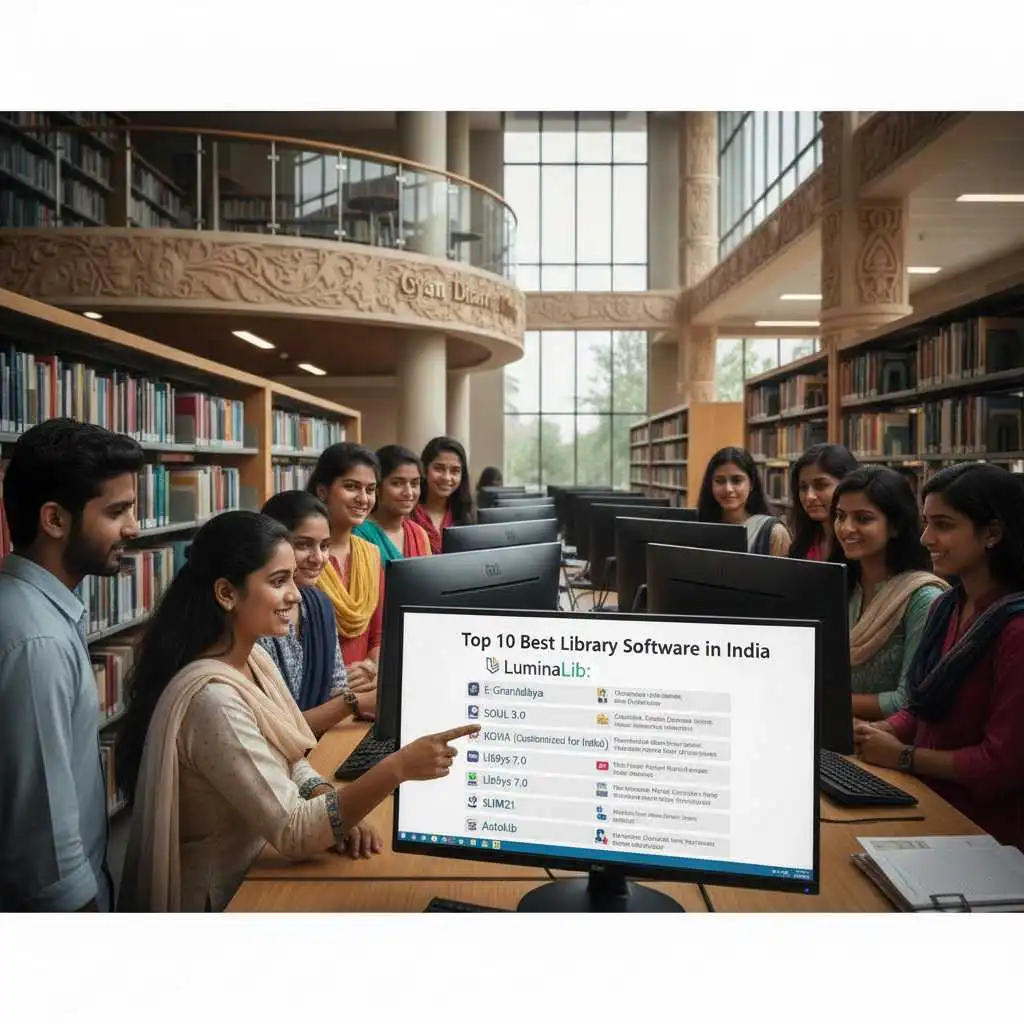
Introduction to Library Automation Software in India
Library Automation Software in India has become a cornerstone of modern education, research, and knowledge management. From government institutions and universities to private schools and corporate libraries, automation is no longer a luxury—it’s a necessity. As collections grow and user expectations evolve, manual systems simply can’t keep up.
In simple terms, library automation software helps libraries manage cataloging, circulation, acquisitions, serials, and digital resources using a centralized digital platform. And yes, it saves time, cuts costs, and improves user satisfaction.
India’s library ecosystem is unique. It includes multilingual collections, budget-sensitive institutions, and a wide digital divide. That’s why choosing the right Library Automation Software in India requires careful comparison of free and paid options, features, scalability, and local support.
Fill The Below form to Get Library Software Installation Quote
Why Libraries in India Need Automation in 2026
Let’s be honest—manual registers and card catalogs are outdated. In 2026, Indian libraries face challenges like growing user bases, hybrid digital collections, and the demand for remote access.
Here’s why Library Automation Software in India is crucial today:
- Efficient Resource Management: Automates cataloging, circulation, and inventory.
- Time Savings: Reduces repetitive manual work.
- Remote Access: OPAC and digital libraries enable 24/7 access.
- Data-Driven Decisions: Reports and analytics help librarians plan better.
- Improved Security: Tracks lost, issued, and reserved items accurately.
Whether it’s a rural college or a metropolitan university, automation levels the playing field.
Key Features to Look for in Library Automation Software
Before jumping into the top tools, let’s talk features. The best Library Automation Software in India typically includes:
- Cataloging (MARC21, AACR2, RDA support)
- Circulation Management
- OPAC / Web OPAC
- Acquisition & Serials Control
- User Management
- Barcode / RFID Integration
- Reports & Analytics
- Multilingual Support
- Cloud or On-Premise Deployment
- Data Security & Backup
Not every library needs everything, but scalability is key.
Free vs Paid Library Automation Software in India
This is where things get interesting.
Free / Open-Source Software
- No licensing cost
- Community-driven development
- Customizable
- Requires technical expertise
Paid / Proprietary Software
- Professional support
- Regular updates
- Easier setup
- Higher cost
In India, many government and academic institutions prefer free solutions like Koha or eGranthalaya, while private institutions lean toward paid tools like Libsys.
Top 10 Best Library Automation Software in India (Quick Comparison)
| Software | Type | Best For | Deployment |
| Koha | Free | Academic & Public Libraries | Cloud / On-Prem |
| eGranthalaya | Free | Govt. Libraries | Cloud |
| Libsys | Paid | Large Institutions | Cloud / On-Prem |
| SOUL | Paid | Universities | On-Prem |
| NewGenLib | Free | Academic Libraries | Cloud / On-Prem |
| SLIM21 | Free | Small Libraries | On-Prem |
| Destiny | Paid | School Libraries | Cloud |
| OpenBiblio | Free | Small Libraries | On-Prem |
| Evergreen | Free | Consortia | Cloud |
| Alice | Paid | School Libraries | On-Prem |
1. Koha Library Management System
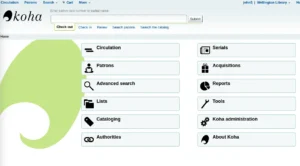
Koha is one of the most popular and widely used open-source library automation systems in the world — and especially in India. Designed to help libraries of all sizes manage their collections, Koha has become a trusted choice for academic, public, and special libraries thanks to its flexibility, web-based platform, and powerful features.
What Is Koha?
Koha is a free, open-source library management system (LMS) that allows libraries to automate daily operations such as cataloging, circulation, acquisition, serials control, online public access, and much more. Because it’s open source, libraries don’t have to pay license fees and can customize the system as needed.
Why Koha Is So Popular in India
Koha has strong adoption across Indian universities, colleges, public libraries, and research institutions because:
- It supports multiple languages, including Indian languages.
- It follows international library standards like MARC21, making cataloging easy and interoperable.
- It offers a web–based interface, so users and librarians can access it anywhere.
- It’s supported by a community of developers and vendors in India, making implementation and support easier.
Key Features of Koha
Here’s what makes Koha a powerful choice for library automation:
1. Advanced Cataloging
- Supports MARC21 format for bibliographic records.
- Allows detailed classification and subject tagging.
- Compatible with Z39.50 for importing records from other sources.
2. Circulation Management
- Issue, return, renew, and reserve items with ease.
- Automated reminders for overdue books.
- Fine calculation and customization.
3. Web-Based OPAC
- Online Public Access Catalog (OPAC) lets users search the library catalog from any device.
- Faceted search, filters, and accessibility features.
- Personalized user accounts for borrowers.
4. Acquisitions & Serials
- Helps track orders, invoices, and budgeting for new materials.
- Manages serial publications like journals and magazines efficiently.
- Alerts librarians to upcoming issues and renewals.
5. Reporting & Analytics
- Pre-built and customizable reports.
- Insights on circulation trends, acquisitions, and user behavior.
- Exportable data for analysis.
6. Barcode & RFID Support
- Barcode scanning for quick check-in/check-out.
- Optional RFID integration for automated self-service stations.
7. Multilingual Interface
- Supports Indian languages like Hindi, Bengali, Marathi, etc.
- Helps libraries serve a diverse user base.
8. Flexible Deployment
- Can be hosted on local servers (on-premise) or cloud-based systems.
- Many Indian vendors offer hosted Koha solutions with support.
Free or Paid?
Koha is free and open source, which means:
✅ No license fees
✅ Community and vendor support available
✅ Fully customizable
However, many libraries choose to pay for professional support, installation, customization, and training from certified Koha vendors. This ensures smoother setup and ongoing maintenance.
Benefits of Using Koha
| Benefit | What It Means for Your Library |
| Cost-effective | No expensive licensing fees |
| Web-based access | Users can search from anywhere |
| Standards compliance | Works with international cataloging norms |
| Scalable | Small school libraries to large university systems |
| Local support options | Indian vendors and community help |
Is Koha Right for Your Library?
Koha is ideal if:
✔ You want a cost-effective solution
✔ You prefer open-source software
✔ You need a flexible and customizable system
✔ You want web access for users and staff
It works extremely well for academic libraries, public libraries, and even corporate or special collections.
2. eGranthalaya
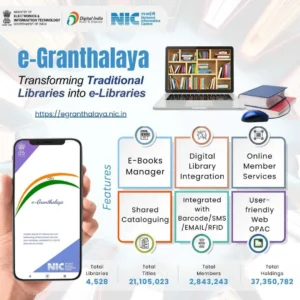
eGranthalaya is a government-backed library automation system tailored specifically for libraries in India. Developed by the National Informatics Centre (NIC) under the Ministry of Electronics and Information Technology (MeitY), eGranthalaya aims to modernize library operations across government, public, and academic institutions with a centralized, web-based platform.
This system is especially popular in India because it’s designed keeping Indian library requirements, Indian languages, and local infrastructure in mind — and best of all, it’s completely free for eligible organizations.
What Is eGranthalaya?
eGranthalaya (which translates to e‐Library) is a cloud-ready, web-based library management system that enables libraries to automate their collections and services. It supports all core library functions like cataloging, circulation, serials, acquisitions, and OPAC (Online Public Access Catalog), with special focus on multi-language support and centralized management.
Thanks to its government hosting and standards compliance, eGranthalaya makes it easy for libraries of various sizes — from small public libraries to large academic libraries — to go digital and serve patrons more efficiently.
Who Uses eGranthalaya?
eGranthalaya is widely used by:
- Government libraries (central/state)
- Public/community libraries
- School libraries
- College and university libraries
- Research institution libraries
Because it’s offered by NIC, many state governments encourage or mandate its use for public library modernization projects.
Key Features of eGranthalaya
eGranthalaya comes with a full set of features needed for modern library operations:
1. Cataloging
- Supports standardized cataloging formats
- Users can add detailed bibliographic records
- Allows subject headings and classification
2. Circulation Module
- Check-in/check-out of books
- Renewal and reservation capabilities
- Automated fine calculation
3. Web-Based OPAC
- Online Public Access Catalog accessible from any browser
- Search with filters like title, author, subject, and keywords
- User accounts for viewing issued items and history
4. Serial and Acquisition Management
- Track magazine, journal, and periodical subscriptions
Log purchase orders, budgets, and vendor details
5. Cloud Hosting / Centralized Database
- Hosted on secure NIC servers (no local server required)
- Multiple libraries can be linked to a central repository
- Data backup and security managed centrally
6. Multilingual Interface
- Supports Indian regional languages
- Helps users and staff work in their preferred language
7. Reporting and Analytics
- Pre-configured reports (circulation, membership, acquisitions)
- Exportable data for analysis
- Helps librarians monitor collections and usage
8. Mobile Accessibility
- Designed to be accessed from desktops, laptops, and mobile devices
- Helps users search the catalog on the go
Free or Paid?
Free for eligible libraries, especially government and public institutions.
Since eGranthalaya is a government project offered by NIC, eligible libraries can onboard without paying licensing fees. However, there may be optional costs associated with training, customization, staff support, or local implementation help, depending on your setup.
Why eGranthalaya Is Valuable for Indian Libraries
Here’s why many Indian libraries choose eGranthalaya:
| Benefit | What It Means |
| Zero licensing cost | Affordable for budget-constrained libraries |
| Government support | Stable infrastructure and official backing |
| Cloud hosting | Less need for local IT infrastructure |
| Multilingual use | Better accessibility for diverse users |
| Centralized access | Multiple libraries under one portal |
For libraries in states that have adopted eGranthalaya widely, this system also enables resource sharing, where users of one library can access catalogs across other participating libraries.
Who Should Use eGranthalaya?
eGranthalaya is especially suited for:
✔ Government public libraries
✔ School and college libraries
✔ Small to medium academic libraries
✔ Libraries that prefer cloud-hosted systems
✔ Institutions that want free, standardized automation
3. Libsys
If your library needs a reliable and government-supported LMS without large upfront costs, eGranthalaya is one of the best options in India.
Libsys is one of the most popular and powerful library automation software solutions used by large academic institutions, research centers, corporate libraries, and government organizations in India and around the world. It’s a commercial (paid) integrated library management system (ILMS) designed to handle advanced library operations with reliability, scalability, and professional support.
Unlike open-source systems, Libsys is a proprietary software that comes with licensing costs, but it also offers full vendor support, regular updates, service level agreements (SLAs), and turnkey deployment — which makes it very attractive for libraries that need a professional, ready-to-use system.
What Is Libsys?
Libsys is a comprehensive library management system that helps libraries automate all major functions such as cataloging, circulation, acquisitions, serials (periodicals), reporting, digital resource management, and discovery services. It supports both cloud-based and on-premise deployment models and is designed to meet the requirements of medium to large library environments.
Because it’s a commercial solution, Libsys includes structured technical support, upgrades, and training from the vendor — reducing the burden on in-house IT teams.
Who Uses Libsys?
Libsys is widely used by:
- Universities and large academic libraries
- Research institutes
- Corporate and special libraries
- Government organizations
- Libraries with high user volume and complex workflows
Its rich feature set and professional support make it especially suitable for institutions with large collections or complicated cataloging, circulation, and digital resource needs.
Key Features of Libsys
Libsys includes a wide range of features to automate and optimize library operations:
1. Advanced Cataloging
- Uses international standards like MARC21.
- Supports complex classification and subject analysis.
- Allows batch cataloging and record import/export.
2. Circulation Management
- Issue/return/renew with automated policy rules.
- Reservation and queue management.
- Fine calculation and custom rules per library policy.
3. Acquisitions
- Tracks book orders, budgets, invoices, and vendor information.
- Helps manage procurement workflows efficiently.
- Built-in budget tracking and spending reports.
4. Serials / Periodicals
- Track magazine and journal subscriptions.
- Manage renewals, claim scheduling, and binding.
- Issue serials to users and maintain historical records.
5. Discovery & OPAC
- Modern Online Public Access Catalog (OPAC) for users.
- Faceted search, filters, and relevance ranking.
- Personalized user dashboards and recommendations.
6. Cloud & Mobile Access
- Optional cloud hosting for easy access anywhere.
- Mobile-friendly interfaces for users and staff.
- Synchronization across branches and systems.
7. Reporting & Analytics
- Pre-configured and customizable reports.
- Dashboards for circulation, acquisitions, and membership statistics.
Exportable formats (CSV, Excel, PDF).
8. Security & Permissions
- Role-based access control.
- Audit logs and data protection measures.
- Backup and disaster recovery options.
9. Integration & APIs
- Integrates with institutional authentication systems (LDAP, Active Directory).
- Supports interoperability with other systems via APIs.
Paid or Free?
Libsys is a paid professional library automation software.
This means:
✅ You get structured vendor support
✅ Upgrades and maintenance are included (depending on your contract)
✅ Professional installation and training
❌ You must pay licensing and annual maintenance fees
Pricing varies depending on:
- Number of users
- Deployment type (cloud vs on-premise)
- Modules required
- Support contract level
Benefits of Using Libsys
Here are some major reasons why institutions choose Libsys:
| Benefit | What It Means for Your Library |
| Professional support | Vendor-backed helpdesk and training |
| Full automation | Covers all major library functions |
| Scalable | Works well for small to very large libraries |
| Cloud-ready | Access from anywhere with secure hosting |
| Strong analytics | Insightful reports for decision-makers |
Because it’s a commercial product, Libsys often reduces administrative headaches by providing expert help in setup, customization, and troubleshooting.
Is Libsys Right for Your Library?
Libsys is ideal if:
✔ You manage a large or complex library
✔ You want professional support and guaranteed service levels
✔ You prefer a turnkey solution with minimal in-house IT work
✔ You need integration with institutional systems
✔ You want advanced reporting and analytics
However, it may not be the best choice if:
❌ You have a very tight budget
❌ You prefer fully open-source systems
❌ Your library is very small with basic requirements
In those cases, free systems like Koha or NewGenLib might be more suitable.
4. SOUL
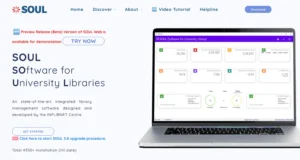
SOUL (Software for University Libraries) is a library automation system developed by INFLIBNET Centre, an autonomous Inter-University Centre of the University Grants Commission (UGC) in India. Designed specifically for academic and university libraries, SOUL helps automate essential library functions like cataloging, circulation, acquisition, serials, and reporting — making it easier for universities and their libraries to manage growing collections and serve students, faculty, and researchers efficiently.
Unlike general library systems, SOUL was developed with Indian academic requirements in mind, ensuring compatibility with Indian standards, workflows, and institutional needs.
What Is SOUL?
SOUL is a comprehensive library management system used by hundreds of university and college libraries across India. It focuses on structured library workflows and helps institutions streamline operations, improve resource access, and generate useful reports for decision-making.
Because it’s backed by INFLIBNET — a respected academic network — SOUL has strong adoption among Indian universities connected to the UGC and affiliated institutions.
Who Uses SOUL?
SOUL is widely used by:
- Central and state universities
- Government and private colleges
- Research institutions
- Academic library consortia
It is especially suited for libraries that require academic-centric workflows, compliance with Indian cataloging standards, and integration with national academic initiatives like UGC-INFONET and NDL (National Digital Library) frameworks.
Key Features of SOUL
Here are the main features that make SOUL a capable library management system:
1. Cataloging
- Supports standardized formats like MARC21 for bibliographic records.
- Enables subject headings, classification numbers, and detailed catalog entries.
- Facilitates importing and exporting records.
2. Circulation Management
- Issue, return, and renewal of library items.
- Reservation and waitlist handling.
- Automated fine tracking and notices.
3. Acquisition Module
- Tracks procurement of books and other resources.
- Manages orders, budgets, and vendor details.
- Helps plan and monitor acquisitions.
4. Serial Control
- Manages subscription-based resources like journals and magazines.
- Tracks receipt of issues and renewal schedules.
- Generates usage reports.
5. OPAC (Online Public Access Catalog)
- Web-based search portal for users to look up books.
- Search filters by author, title, subject, and keyword.
- User accounts to view loans, history, and reservations.
6. Reporting & Statistics
- Pre-configured library reports (circulation, collection growth, usage).
- Export options for Excel and PDF.
- Helps librarians track performance and usage trends.
7. Student & User Management
- Holds records for students, faculty, and external users.
- Integrates with institutional ID systems or manual databases.
8. Alerts & Notices
- Reminders for due dates.
- Reservation alerts and notices for librarians.
Paid or Free?
SOUL is offered by INFLIBNET Centre, and its licensing model is subsidized for Indian academic institutions — meaning:
- It’s affordable compared to many commercial systems.
- Fees are generally lower than proprietary software.
- Some government or UGC-linked institutions may receive special access or support.
However, SOUL is not fully open-source like Koha or NewGenLib, and may require a paid license or institutional subscription.
Benefits of Using SOUL
Here’s why many Indian academic libraries choose SOUL:
| Benefit | What It Means |
| Academic focus | Built specifically for university workflows |
| Standards compliance | MARC21 and established library norms |
| Reliable support | Backed by INFLIBNET and academic networks |
| Cost-effective | Subsidized pricing for institutions |
| Comprehensive modules | Cataloging to reporting under one system |
SOUL’s strength lies in its academic orientation — with tools built to handle university requirements like student tracking, serial control for journals, and detailed reporting for administrators.
Is SOUL Right for Your Library?
SOUL is particularly suitable if:
✔ You’re part of a university/college library
✔ You want structured academic library workflows
✔ You need standardized cataloging support
✔ You want a cost-effective system backed by an academic organization
SOUL might be less ideal if:
❌ You need advanced features like RFID or cloud-native hosting
❌ Your institution prefers fully open-source systems
❌ You need mobile-first or modern discovery layers out of the box
5. NewGenLib
NewGenLib (short for New Generation Library Automation Software) is a powerful open-source library management system designed to help libraries automate core functions like cataloging, circulation, acquisitions, serials management, reporting, and user services. It’s widely used in academic, public, and special libraries in India and worldwide — especially by libraries seeking a modern, flexible, and cost-effective solution.
Because it’s built with global library standards in mind and offers both web-based and desktop interfaces, NewGenLib is ideal for libraries that want a scalable system without licensing fees.
What Is NewGenLib?
NewGenLib is an integrated library management system (ILMS) that supports end-to-end automation of library operations. It was developed by the Kesavan Institute of Information and Knowledge Management (KIIKM) in India and follows international cataloging and library standards such as MARC21, Z39.50, and Unicode for multilingual support.
As an open-source solution, NewGenLib doesn’t charge licensing fees — making it appealing to universities, colleges, public libraries, and even NGOs that need powerful software without ongoing costs.
Who Uses NewGenLib?
NewGenLib is used by:
- Academic libraries (universities & colleges)
- Public and community libraries
- Government and research institution libraries
- Special libraries
- Consortia and networked libraries
Its flexibility makes it suitable for small single-branch libraries as well as larger multi-branch networks.
Key Features of NewGenLib
Here’s what NewGenLib offers:
1. Cataloging
- Full support for MARC21 format
- Unicode support for multiple languages (including Indian scripts)
- Ability to import and export records via Z39.50
2. Circulation & Lending
- Issue, return, renew, and reserve items
- Automated overdue notices
- Fine calculation based on custom library rules
3. Acquisitions Management
- Order tracking and vendor management
- Budget monitoring and invoice records
- Purchase request handling
4. Serial / Periodical Control
- Journal and magazine subscription management
- Renewal alerts and claim follow-ups
- Bound volume handling
5. Open Public Access Catalog (OPAC)
- Web-based search interface for users
- Filters for quick search (title/author/subject)
- User accounts to view checkouts and reserves
6. Reports & Dashboards
- Pre-configured reports (circulation, acquisitions, membership)
- Export to formats like Excel or PDF
- Customizability for specific reporting needs
7. Cloud & Local Deployment
- Can be hosted on local servers or cloud environments
- Supports multiple branches under one system
- Remote access possible with web-enabled setup
8. Multilingual Support
- Includes Unicode for Indian languages
- Interface and cataloging flexibility for diverse users
9. APIs & Interoperability
- Supports integration with other library systems
- Works with external search tools and discovery services
Free or Paid?
✅ Open-source and free to use
❗ Paid support or customization services may be available from third-party vendors or developers.
This means NewGenLib gives you powerful automation without licensing costs — but if you need installation help, maintenance, training, or customization, you may choose to pay for professional services.
Benefits of Using NewGenLib
| Benefit | What It Means for Your Library |
| Zero license fees | Truly cost-effective software |
| Flexible deployment | Works on cloud or local servers |
| Open standards | MARC21, Unicode, Z39.50 compatibility |
| Multilingual | Supports Indian languages |
| Scalable | From small libraries to multi-branch systems |
NewGenLib strikes a strong balance between capability and affordability — especially for libraries that want professional features without recurring license costs.
Is NewGenLib Right for Your Library?
NewGenLib is ideal if:
✔ You want full automation without license fees
✔ Your library uses multiple languages
✔ You need MARC21 and international cataloging support
✔ You prefer an open-source system with flexibility
✔ You want options for cloud or local hosting
NewGenLib might be less ideal if:
❌ You prefer a vendor-supported proprietary product
❌ Your institution requires advanced mobile discovery tools ready-to-use
❌ You want a plug-and-play cloud solution with service guarantees
6. SLIM21
SLIM21 is a free, lightweight library automation software designed primarily for small and medium-sized libraries. It is especially popular in schools, colleges, departmental libraries, and small institutions that need basic library automation without complex infrastructure or high costs.
SLIM21 focuses on simplicity, ease of use, and essential library functions, making it a practical choice for libraries that are just starting their automation journey.
What Is SLIM21?
SLIM21 (Simple Library Management System – 21st Century) is a standalone library management system that helps libraries automate routine tasks such as cataloging, circulation, member management, and reporting. Unlike large enterprise systems, SLIM21 is designed to run smoothly on modest hardware and does not require advanced technical skills to operate.
It is not as feature-heavy as systems like Koha or Libsys, but it covers the core needs of everyday library operations very effectively.
Who Uses SLIM21?
SLIM21 is commonly used by:
- School libraries
- Small college libraries
- Departmental and office libraries
- Community and NGO libraries
- Libraries with limited budgets and IT support
If your library has a small collection and a limited number of users, SLIM21 can be a very suitable solution.
Key Features of SLIM21
SLIM21 provides all essential modules needed for basic library automation:
1. Cataloging
- Simple and structured bibliographic entry
- Supports book classification and subject indexing
- Easy record creation and editing
2. Circulation Management
- Issue, return, and renewal of library items
- Member-wise transaction tracking
- Basic fine calculation
3. Member Management
- Maintains records of library members
- Supports different user categories (students, staff, etc.)
- Easy search and update of member details
4. OPAC (Local Catalog Search)
- Local search interface for library users
- Search by title, author, or accession number
- Quick access to item availability status
5. Reports
- Accession register
- Issue/return statistics
- Member activity reports
- Printable formats for administrative use
6. Barcode Support
- Supports barcode-based circulation
- Speeds up check-in and check-out processes
7. Data Backup & Security
- Manual backup options
- Simple user access controls
Free or Paid?
✅ SLIM21 is completely free to use
There are:
- No license fees
- No mandatory subscriptions
However, because it is a simple system, professional vendor support is usually limited. Most libraries manage installation and daily use independently or with local technical help.
Benefits of Using SLIM21
| Benefit | What It Means |
| Free software | Ideal for budget-constrained libraries |
| Easy to use | Minimal training required |
| Low system requirements | Runs on basic computers |
| Quick setup | Faster implementation |
| Good for beginners | Perfect first automation step |
SLIM21 is especially valued by librarians who want a straightforward solution without technical complexity.
Is SLIM21 Right for Your Library?
SLIM21 is ideal if:
✔ Your library is small or medium-sized
✔ You need basic automation features
✔ You have limited IT infrastructure
✔ You want a free and easy system
✔ You prefer a simple, desktop-based solution
SLIM21 may not be suitable if:
❌ You need cloud-based access
❌ You require advanced features like RFID
❌ You manage large or multi-branch libraries
❌ You want full MARC21 or advanced standards support
7. Destiny
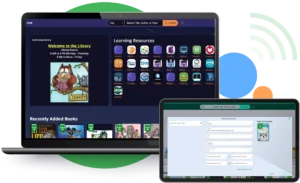
Destiny Library Manager (often called Destiny Library System) is a cloud-based library management software developed by Follett. It is widely used by school libraries (K–12) around the world, including many international and private schools in India. Destiny is designed to be user-friendly, student-focused, and easy to manage, making it an excellent choice for modern school libraries.
Destiny stands out for its clean interface, strong cloud support, and seamless integration with school learning environments.
What Is Destiny Library Manager?
Destiny is a web-based integrated library system (ILS) that helps school librarians manage physical and digital library resources. Because it is cloud-hosted, libraries don’t need to install or maintain servers — everything runs securely online and can be accessed from anywhere.
The system is designed with students and teachers in mind, allowing easy searching, borrowing, and discovery of library materials both inside and outside the school campus.
Who Uses Destiny?
Destiny is primarily used by:
- Primary and secondary school libraries (K–12)
- International schools
- Private schools
- School groups and multi-campus schools
It is especially popular in schools that emphasize digital learning, remote access, and technology-enabled education.
Key Features of Destiny Library Manager
Destiny offers a rich set of features tailored to school environments:
1. Cataloging
- Easy catalog creation for books, media, and digital resources
- Supports standard classification systems
- Simple item and copy management
2. Circulation Management
- Fast check-in and check-out
- Holds, renewals, and reservations
- Custom lending rules for different grade levels
3. Online Public Access Catalog (OPAC)
- Student-friendly OPAC interface
- Search by title, author, subject, or keyword
- Book cover images and summaries to encourage reading
4. Cloud-Based Access
- Fully cloud-hosted — no local servers needed
- Access from school, home, or mobile devices
- Automatic backups and updates
5. Teacher & Classroom Integration
- Teachers can create resource lists for classes
- Reading programs and recommended lists
- Integration with learning management systems (LMS)
6. Mobile-Friendly Design
- Works smoothly on tablets, laptops, and smartphones
- Ideal for BYOD (Bring Your Own Device) environments
7. Reports & Analytics
- Circulation statistics
- Reading trends and student engagement reports
- Inventory and overdue reports
8. Security & User Roles
- Secure login for students, teachers, and librarians
- Role-based permissions
- Student data protection
Free or Paid?
❌ Destiny is a paid (commercial) library management system
This includes:
- Subscription-based pricing
- Cloud hosting
- Regular updates
- Technical support and training
Pricing varies depending on:
- Number of students
- Number of schools
- Modules selected (library only or full resource management)
Benefits of Using Destiny
| Benefit | What It Means |
| Cloud-based | No server maintenance |
| Student-friendly | Encourages reading and discovery |
| School-focused | Built specifically for K–12 needs |
| Remote access | Students can browse anytime |
| Professional support | Vendor-backed reliability |
Destiny’s biggest strength is how well it fits into the school learning ecosystem, helping librarians, teachers, and students work together.
Is Destiny Right for Your Library?
Destiny is ideal if:
✔ You manage a school library
✔ You want a cloud-based, low-maintenance system
✔ You need student-friendly search and discovery
✔ You want teacher and classroom integration
✔ You prefer a professional, supported solution
Destiny may not be suitable if:
❌ You run a university or research library
❌ You require advanced academic cataloging (MARC21 heavy use)
❌ You need a free or open-source solution
8. OpenBiblio
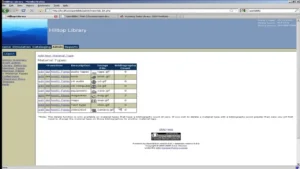
OpenBiblio is a free, open-source library management system designed primarily for small and medium-sized libraries. It provides a simple and efficient way to manage core library functions such as cataloging, circulation, and patron management. Its lightweight design and user-friendly interface make it especially popular among small academic, community, and school libraries worldwide, including in India.
OpenBiblio is ideal for libraries that want basic automation without complex setups or high costs.
What Is OpenBiblio?
OpenBiblio is a web-based integrated library system (ILS) that allows librarians to automate key operations with minimal technical overhead. Being open-source, it can be installed on local servers or hosted online, offering flexibility for small institutions that may not have dedicated IT teams.
While it doesn’t offer the advanced features of enterprise systems like Libsys or Koha, OpenBiblio covers the core functionalities that most small libraries need.
Who Uses OpenBiblio?
OpenBiblio is commonly used by:
- School libraries
- Small college libraries
- Community and public libraries
- NGO or private libraries
- Departmental or corporate libraries with small collections
Its simplicity and low resource requirements make it ideal for libraries with limited budgets or small collections.
Key Features of OpenBiblio
OpenBiblio offers essential modules for library automation:
1. Cataloging
- Supports entry of bibliographic records for books and other materials
- Simple classification by author, title, and subject
- Easy editing and management of records
2. Circulation Management
- Check-in and check-out of items
- Item renewal and reservation handling
- Automatic tracking of overdue items
3. Patron/Member Management
- Maintain member records (students, staff, community members)
- Track borrowing history and fines
- Categorize users by type for different lending rules
4. Online Public Access Catalog (OPAC)
- Web-based search portal for library users
- Search by title, author, or keyword
- Displays availability of items
5. Reports
- Circulation and overdue reports
- Member activity reports
- Inventory and collection summaries
6. Printing & Barcode Support
- Supports printing of labels and receipts
- Basic barcode scanning for fast check-in/check-out
7. Backup & Data Management
- Database backup options
- Easy data export for offline use
Free or Paid?
✅ OpenBiblio is completely free and open-source
- No licensing fees or subscriptions
- Optional paid support may be available from third-party consultants
- Low-cost, easy-to-install system for small libraries
It’s a cost-effective solution for institutions that want library automation without recurring fees.
Benefits of Using OpenBiblio
| Benefit | What It Means for Your Library |
| Zero license cost | Affordable for budget-limited libraries |
| Lightweight & simple | Quick installation and easy use |
| Web-based OPAC | Users can search online easily |
| Essential automation | Covers cataloging, circulation, and reporting |
| Flexible hosting | Can be used locally or on a web server |
OpenBiblio is particularly valued for its simplicity and quick learning curve, allowing small libraries to move from manual to digital management efficiently.
Is OpenBiblio Right for Your Library?
OpenBiblio is ideal if:
✔ You manage a small or medium-sized library
✔ You want a free, open-source solution
✔ Your collection is moderate and doesn’t require complex workflows
✔ You need basic OPAC, circulation, and cataloging features
OpenBiblio may not be suitable if:
❌ You need advanced features like multi-branch management or RFID
❌ Your library is large or academic-focused
❌ You require professional vendor support
❌ You need advanced reporting or analytics
9. Evergreen
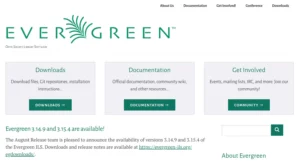
Evergreen is a robust, open-source library automation system designed primarily for large public libraries, consortia, and academic institutions. It is widely recognized for its scalability, multi-branch support, and powerful features, making it a preferred choice for libraries with complex workflows and high user volumes.
Developed originally by the Georgia Public Library Service (GPLS) in the USA, Evergreen has a strong international community and is used in several libraries across India for consortium-based and standalone library operations.
What Is Evergreen?
Evergreen is a full-featured Integrated Library System (ILS) that allows libraries to automate nearly all operations: cataloging, circulation, acquisitions, serials management, reporting, and OPAC services. Its key strength is multi-branch and consortium management, which lets multiple libraries share a single database while maintaining branch-specific policies.
Being open-source, Evergreen is free to use, but libraries often invest in professional support and hosting services to ensure smooth implementation.
Who Uses Evergreen?
Evergreen is ideal for:
- Large public libraries and city library networks
- Library consortia and cooperative networks
- Academic and university libraries with multiple branches
- Libraries that require robust multi-user and high-volume management
It is particularly popular for libraries that want shared cataloging, centralized reporting, and efficient resource sharing across multiple locations.
Key Features of Evergreen
Evergreen offers a comprehensive feature set for library automation:
1. Advanced Cataloging
- Full support for MARC21 and Dublin Core standards
- Batch cataloging and record import/export
- Detailed classification, subject headings, and authority control
2. Circulation & Lending
- Issue, return, renewal, and reservation
- Multi-branch lending policies
- Fine calculation and overdue management
3. Acquisitions & Collection Management
- Tracks book orders, invoices, and vendors
- Budget management and purchase workflow
- Supports multiple collection types (books, media, e-resources)
4. Serials / Periodicals
- Subscription management for journals and magazines
- Claim scheduling and renewal alerts
- Historical tracking of received issues
5. OPAC (Online Public Access Catalog)
- Web-based search for users
- Faceted search, relevance ranking, and filters
- Personalized user accounts with loan history and reserves
6. Multi-Branch & Consortium Support
- Centralized database with branch-specific rules
- Cross-library resource sharing
- Interlibrary loan management
7. Reporting & Analytics
- Predefined and customizable reports
- Circulation, acquisitions, and usage analytics
- Exportable formats (CSV, Excel, PDF)
8. Security & Permissions
- Role-based access for staff and administrators
- Audit logs and secure user management
- Backup and disaster recovery options
9. Integration & Interoperability
- Supports Z39.50, SIP2, and NCIP protocols
- Can integrate with discovery layers and third-party systems
- APIs for external application integration
Free or Paid?
✅ Evergreen is open-source and free to use
- No licensing fees or subscriptions
- Paid professional services (hosting, support, customization) are optional
- Large libraries often engage vendors for installation, training, and maintenance
Benefits of Using Evergreen
| Benefit | What It Means for Your Library |
| Open-source | No recurring license costs |
| Highly scalable | Ideal for large libraries and consortia |
| Multi-branch support | Centralized database for multiple libraries |
| Advanced reporting | Data-driven decision-making for administrators |
| Community support | Active open-source developer community |
Evergreen’s scalability and consortium capabilities make it a strong choice for libraries looking for robust, long-term automation.
Is Evergreen Right for Your Library?
Evergreen is ideal if:
✔ You manage a large public or academic library
✔ You need multi-branch or consortium support
✔ You want a free, open-source system with professional options
✔ You require advanced cataloging and circulation features
✔ You want a system with a strong community and ongoing development
Evergreen may not be suitable if:
❌ Your library is very small or single-branch
❌ You need a turnkey commercial system with guaranteed vendor support
❌ You want simple, low-maintenance software without training
10. Alice
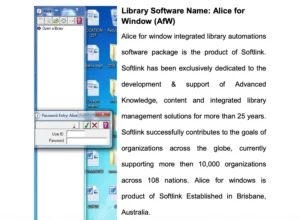
Alice for Windows (often just called Alice) is a commercial library automation software developed for small to medium-sized libraries. It is widely used in school libraries, small academic institutions, and private libraries in India and abroad. Alice is known for its simple interface, Windows-based design, and ease of use, making it suitable for librarians with limited technical expertise.
Unlike large, open-source systems, Alice is lightweight and easy to deploy, though it comes with a paid license.
What Is Alice for Windows?
Alice is a desktop-based Integrated Library System (ILS) that helps libraries automate essential functions such as cataloging, circulation, acquisitions, serials, and reporting. While primarily Windows-focused, it offers features suited to small libraries that need quick setup and minimal IT infrastructure.
Its focus is on usability and simplicity, rather than handling very large or multi-branch libraries.
Who Uses Alice?
Alice is commonly used by:
- School libraries
- Small college and departmental libraries
- Private and community libraries
- Libraries needing a simple, Windows-based system
It’s best for libraries with moderate collections and a small number of users.
Key Features of Alice
Alice provides modules for all essential library automation tasks:
1. Cataloging
- Supports structured bibliographic entry
- Simple classification and subject indexing
- Easy record creation, editing, and deletion
2. Circulation Management
- Check-in, check-out, and renewals
- Holds and reservations
- Automatic fine calculation
3. Acquisitions
- Tracks book orders and vendor information
- Budget and invoice management
- Purchase and procurement tracking
4. Serial/Periodicals
- Subscription management
- Issue tracking and renewal alerts
- Reports for journals and magazines
5. OPAC (Online Public Access Catalog)
- Simple web-based search interface (optional module)
- Search by author, title, or subject
- Displays availability of items
6. Reporting & Analytics
- Circulation and acquisition reports
- Membership activity reports
- Export to Excel or print
7. User & Staff Management
- Role-based access for librarians
- Member record management
- Simple login system
8. Backup & Data Security
- Local database storage
- Backup and restore features
- User authentication and access control
Free or Paid?
❌ Alice is a paid, commercial software
- Licensing fee required
- One-time purchase or subscription-based depending on vendor
- Technical support and software updates included
It is affordable for small and medium-sized libraries but not free.
Benefits of Using Alice
| Benefit | What It Means |
| Easy to use | Minimal training required |
| Windows-based | Runs on standard PCs without special servers |
| Affordable | Cost-effective for small libraries |
| Covers essentials | Cataloging, circulation, OPAC, acquisitions |
| Quick setup | Minimal IT requirements |
Alice is designed for libraries that need a functional, straightforward system without the complexity of large ILS software.
Is Alice Right for Your Library?
Alice is ideal if:
✔ Your library is small or medium-sized
✔ You want Windows-based, easy-to-install software
✔ You need essential library automation features
✔ You prefer a supported commercial product
✔ Your IT infrastructure is limited
Alice may not be suitable if:
❌ You run a large academic or multi-branch library
❌ You need advanced cataloging standards (MARC21)
❌ You want open-source, free software
❌ You require cloud or web-first access
Feature-by-Feature Comparison of Library Automation Software in India
| Feature | Koha | eGranthalaya | Libsys | SOUL |
| OPAC | ✔ | ✔ | ✔ | ✔ |
| RFID | ✔ | ✖ | ✔ | ✖ |
| Cloud | ✔ | ✔ | ✔ | ✖ |
| Cost | Free | Free | Paid | Paid |
For more verified listings, you can explore trusted platforms like Capterra’s library automation directory .
How to Choose the Best Library Automation Software in India
Ask yourself:
- What’s my budget?
- Do I need cloud access?
- How big is my collection?
- Do I have IT support?
There’s no one-size-fits-all. The best Library Automation Software in India depends on your context.
Benefits of Using Library Automation Software
- Improved efficiency
- Better user experience
- Accurate data management
- Easy scalability
Simply put, automation future-proofs your library.
FAQs: Library Automation Software in India
1. What is the best free Library Automation Software in India?
Koha and eGranthalaya are the most popular free options.
2. Is Koha suitable for Indian libraries?
Absolutely. It supports multilingual data and Indian cataloging standards.
3. Which software is best for school libraries?
Destiny and Alice are excellent for schools.
4. Can small libraries use automation software?
Yes, tools like SLIM21 and OpenBiblio are ideal.
5. Is cloud-based software better?
Cloud solutions offer remote access and lower maintenance.
6. How much does paid software cost in India?
Costs vary from ₹50,000 to several lakhs depending on features.
Conclusion
Choosing the right Library Automation Software in India is a strategic decision. Free tools like Koha offer flexibility, while paid solutions like Libsys provide premium support. The key is aligning software features with your library’s goals, budget, and technical capacity.